
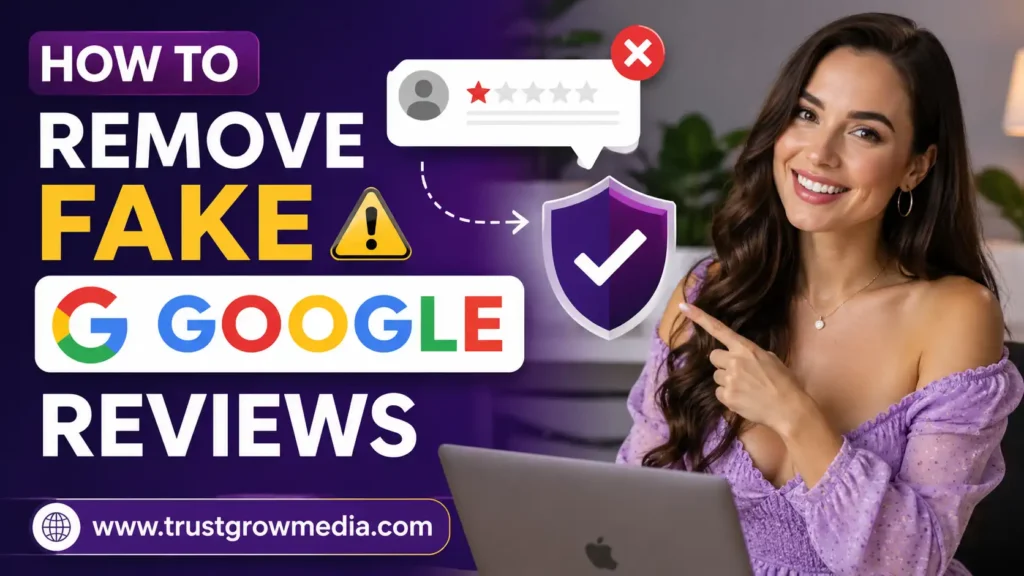
Learn how to remove fake Google reviews with our step-by-step guide. Protect your business’s reputation and ensure honest feedback shines through.
Introduction
Google reviews shape how people see your business before they ever call, visit, or buy. That is why a fake review can create real problems fast. Whether it is a false one-star complaint or made-up praise, dishonest feedback can affect your Google Business Profile and influence decisions unfairly. The good news is that you are not stuck with it. If you know what to look for and how to report it properly, you can take practical steps to protect your listing. If you need expert guidance,TrustGrowMedia‘s online reputation management services can help you build and protect your business reputation.
The Impact of Fake Google Reviews on Your Business
Fake Google reviews can do more than annoy you. They can distort how people judge your Google business and change the first impression your business profile gives. Even one false review can raise doubts and make your online reputation look weaker than it really is.
That problem grows when suspicious feedback appears in clusters or targets small businesses with limited review volume. A damaged rating can reduce clicks, trust, and inquiries. To understand the full effect, it helps to look at customer behavior, local visibility, and lost opportunities one by one.

How Fake Reviews Affect Customer Trust and Decision Making
Most potential customers make quick judgments from ratings and review text. A fake review can interrupt that process right away. If someone sees harsh claims, strange wording, or a story that does not match your services, they may hesitate before contacting you. That hesitation weakens customer trust even when your business did nothing wrong.
You can often tell a review is suspicious when it lacks real detail, uses extreme language, or comes from someone with no record in your booking system, invoices, or customer history. These are common signs that the feedback may not reflect genuine customer experiences. Repeated one-star posts from new accounts can also point to a coordinated attack.
The hard part is that readers do not always investigate. They simply move on. That means fake negative reviews can shape decisions fast, lower response rates, and chip away at your online reputation before you get the chance to correct the record.
Impact on Local SEO and Online Reputation
Reviews influence how your Google Business Profile performs in search results. When fake complaints drag down your rating or click-through appeal, your local seo can suffer. That matters because people often compare listings quickly and choose the business that looks most reliable.
If you spot suspicious feedback, take these steps:
- Open your profile, find the review, and report it through Google Maps or your Google Business Profile dashboard.
- If nothing changes, gather evidence and use Google support or the reviews management tool to escalate the removal request.
- While you wait, monitor new review activity with reputation management tools.
There is also a broader image problem. Fake feedback can make your online reputation look unstable, even if your service quality is strong. Regular monitoring and timely reporting help reduce damage and keep your listing credible in local search.
Potential Losses in Revenue and Leads Due to Fake Reviews
Fake reviews can cost you real money. When people compare businesses, they often skip listings with lower ratings or suspicious complaints. That means fewer calls, fewer form fills, and fewer visits. For small businesses, even a short drop in trust can reduce leads and hurt revenue.
The effect becomes worse when your business profile does not have many legitimate reviews to balance the damage. A few dishonest posts can shift your overall rating more than most owners expect. That can make strong businesses look unreliable.
One common mistake is reporting every negative comment just because it feels unfair. Google will not remove legitimate reviews simply for being critical. Another error is sending a weak report with no evidence. If you want better results, focus on policy violations, clear proof, and calm follow-up.
Identifying Fake Google Reviews
Before you report anything, make sure the review actually looks false or breaks the rules. Not all harsh Google reviews are fake. Some come from real customers who had a bad experience, and those usually stay on your business profile unless they violate policy.
A smart review management approach starts with pattern recognition. Look for fake accounts, vague wording, and activity that does not match a real customer journey. The next sections break down the most useful warning signs so you can tell suspicious feedback from legitimate criticism.
Common Signs of Inauthentic or Policy-Violating Reviews
A fake review often feels off the moment you read it. The wording may be dramatic, generic, or disconnected from anything your business actually offers. Still, your best approach is to compare the post against clear red flags and Google’s content guidelines before taking action.
Here are common warning signs:
- The reviewer gives no specific details about the service, date, staff member, or product.
- The account is new, inactive, or has almost no review history.
- Several similar reviews appear close together, suggesting a coordinated attack.
- The language is copied, repetitive, or strangely exaggerated.
Policy violations can also include spam, harassment, off-topic claims, and conflict of interest situations involving competitors, former employees, friends, or family. If the review does not reflect a real interaction and seems designed to manipulate opinion, it may qualify for removal under Google’s rules.
Red Flags That Separate Real from Fake Feedback
Real feedback usually sounds grounded. It mentions a service, a timeline, a staff interaction, or something specific enough to verify. Fake Google reviews often avoid those details because vague claims are harder to challenge. That difference gives you one of the clearest red flags.
Another signal is suspicious activity around timing. If several one-star posts land within a day or two and come from new accounts, that pattern may not be random. Potential customers may not notice the pattern, but you should. Clusters often suggest a planned push rather than normal customer behavior.
Profile quality matters too. Many fake reviewers have thin accounts with little visible activity, few prior reviews, or only extreme ratings. By contrast, real users often show a more natural history. When multiple warning signs appear together, you likely have stronger grounds to report the review.
Examples of Suspicious Reviewer Behavior
Sometimes the review text is not the only problem. The reviewer’s behavior can reveal more than the comment itself. In review management, patterns matter. A profile that moves strangely across locations or posts in unnatural bursts can point to fake accounts rather than real customers.
Watch for this suspicious activity:
- One person leaves reviews for businesses in very different places within a short time.
- The account posts only one-star or five-star ratings and never anything balanced.
- Multiple reviews reuse the same wording or mention the wrong business name.
You may also notice details that do not line up with your records, such as no matching customer, no appointment, and no known email address connected to the claim. When behavior, timing, and content all look inconsistent, you have a stronger case that the review is not authentic.
Google’s Review Policies and What Qualifies as a Fake Review
Google does not remove every unfair comment, but it does have rules that cover fake reviews and other abuse. For business owners, knowing Google’s review policies makes review management much easier. You need to show that the issue is about policy, not just opinion.
That means checking whether the review breaks content policies through spam, harassment, off-topic content, or conflicts of interest. If the post does not reflect a real experience on your Google Business Profile, it may qualify for action. The next sections explain what those categories look like in practice.
Overview of Content Violations and Prohibited Practices
Google reviews are expected to reflect real experiences. When they do not, your removal request should point to the exact type of violation. That is important because policy violations carry more weight than general complaints about fairness.
Here is a simple guide to common prohibited practices:
| Violation Type | What It Looks Like |
| Spam or fake engagement | Reviews from bots, fake accounts, or people who were never customers |
| Conflict of interest | Reviews posted by competitors, former employees, friends, or family to manipulate ratings |
| Harassment or bullying | Personal attacks, threats, or abusive comments targeting staff or the business |
| Off-topic content | Comments unrelated to genuine customer experiences with the business |
When you report Google reviews, match the review to the clearest policy category. A vague complaint may stay up, but a report tied to a specific rule gives Google a better reason to investigate and act.
Types of Reviews Eligible for Removal
Not every bad review is removable. Google policies focus on reviews that are false, manipulative, or abusive. If the reviewer is a real customer sharing an honest opinion, even a harsh one, it may remain. Your removal request works best when the issue clearly fits a policy violation.
Reviews often eligible for action include:
- Fake negative reviews from competitors, ex-employees, bots, or people who never used your service
- Fake positive reviews posted to inflate ratings unfairly
- Reviews involving harassment, spam, or off-topic accusations
Yes, Google can refuse to remove a suspicious post if it believes the review does not clearly violate policy. If that happens, gather better proof, appeal where allowed, contact Google support, and post a calm public response while you continue tracking the case.
Why Some Reviews Stay Up Despite Being Flagged
Many business owners assume that once flagged reviews are submitted, removal is automatic. It is not. Google reviews often stay live when the system cannot confirm a clear policy issue. That can happen even when the review looks suspicious to you.
Another reason is evidence. If your report simply says the comment is fake without showing why, Google may treat it as a disagreement rather than a rules violation. Review management becomes more effective when you can connect the post to a missing customer record, copied wording, or a likely conflict of interest.
Some posts also remain because they may be legitimate reviews, even if they feel unfair or incomplete. Google’s policies allow honest criticism. In those cases, your best move is to respond professionally, keep monitoring, and focus on building more genuine reviews.
Step-by-Step Process to Report and Remove a Fake Google Review
If you find fake Google reviews on your listing, act quickly but carefully. Start by checking whether the post appears to break Google’s review policies. Then use your Google Business Profile or Google Maps to flag the review through the reporting option.
If the first removal request does not work, collect stronger proof and escalate through support channels. The goal is to make your case easy to review and clearly tied to policy. The next three sections walk through where to find the review, how to report it, and what evidence to submit.

Locating and Selecting the Review on Your Business Profile
Begin with the simplest step: find the review inside your Google Business Profile. You can do this through Google Search or Google Maps by pulling up your listing and opening the reviews section. From there, scan for the suspicious comment and confirm that it is the correct one before you act.
Good review management starts with accuracy. Check the reviewer name, star rating, wording, and date. If several comments appeared close together, make sure you select the right one. This is especially important when multiple Google reviews look similar.
Once you identify the post, click the three-dot menu beside it. That menu gives you the option to report the review. This first step may seem small, but it starts the process and creates the foundation for any later appeal or escalation.
Reporting the Review Using “Flag as Inappropriate”
After locating the review, use the report option often labeled as ” Flag as Inappropriate ” or ” Report review. You can do this from Google Reviews in Search, Maps, or the Google Business Profile dashboard. Choose the reason that best matches the issue, such as spam, conflict of interest, harassment, or off-topic content.
Be precise. If the reviewer was never a customer, spam may fit best. If the post came from a competitor or former employee, conflict of interest may be more accurate. The category matters because Google uses it to review the claim.
Once submitted, monitor the status of your report. Google may take several business days to review it, and you may need to check manually. If no action is taken, that does not end the process. It simply means your next step is escalation with supporting evidence.
Information to Include When Submitting a Fake Review Dispute
If the first report fails, your dispute should be simple, factual, and supported. Good review management depends on clear evidence, not emotion. Google wants to know why the post likely breaks policy and what facts support your claim.
Useful details include:
- Screenshots of the reviews, including the reviewer name, text, star rating, and date
- Proof that the person was not in your booking system, invoices, CRM, or transaction history
- A short explanation of the suspected violation, such as spam or conflict of interest
- Any case ID connected to a prior report or support conversation
Keep your message focused on the facts. If there are inconsistencies in the review story or signs of copied wording, mention them clearly. A strong dispute gives Google a cleaner path to review the post and decide whether it should stay visible.
What to Expect After Reporting a Fake Google Review
Once you submit a removal request, the waiting starts. Google reviews the post against Google’s review policies and may remove it, leave it up, or send it for further review. That can feel frustrating, but it is a normal part of review management.
Timelines vary. Some fake Google reviews are reviewed within a few days, while others take longer if the case is less clear. Knowing the typical stages and outcomes helps you decide when to wait, when to follow up, and when to escalate before the final decision arrives.
Timeline and Stages of Google’s Review Process
The process usually begins with your first submission through Search, Maps, or your profile tools. From there, Google reviews the content to see whether it appears to violate policy. In many cases, this first step takes a few business days, though some reviews may take longer.
Your initial response may not come as a direct message. Instead, you often need to check the review manually or use Google My Business review tools to follow the status of your report. Common statuses include pending review, reviewed with no action, or removed.
If the review is unclear, Google may spend more time evaluating it. That is why review management requires patience. A fast answer is possible, but not guaranteed. If there is no change after a reasonable wait, prepare your evidence and move to the next support step.
Possible Outcomes: Approval, Rejection, or Further Review
There are usually three possible outcomes after you report Google reviews. First, Google may approve the request and remove the post. This happens when the review appears to break policy clearly enough to justify action.
Second, Google may reject the request and leave the review visible. That does not always mean the review is real. It may simply mean the evidence was weak or the issue did not clearly fit Google’s review policies. In review management, rejection often signals that you need a stronger appeal.
Third, the case may move into further review. That can happen when the facts are not obvious from the first report. During this stage, keep records, avoid repeated emotional reporting, and watch your Google Business Profile for any change before treating the outcome as the final decision.
How to Escalate if Google Does Not Remove the Fake Review
If Google leaves the review up, do not assume you are out of options. You can escalate the removal request by using the review management tool, appealing through available channels, or contacting Google support directly with stronger documentation.
Useful escalation steps include:
- Submit a more detailed case with screenshots, booking records, and a clear explanation of the violation
- Use support channels or the help community if the automated review process fails
- Post a calm public response while the issue is still under review
In serious cases, legal services may become a last resort. That makes the most sense when the review is clearly false, causes measurable harm, and you can identify the source. Before that point, though, most businesses should focus on evidence, persistence, and proper escalation.
Best Practices and Mistakes to Avoid in Removing Fake Google Reviews
A strong removal request is built on facts, not frustration. With fake Google reviews, the best review management habits are simple: act quickly, document everything, and explain the policy issue clearly. That gives Google a better reason to review the case carefully.
At the same time, avoid mistakes that weaken your position. Reporting real criticism as fake, arguing publicly, or skipping clear evidence can reduce your chances. The next two sections cover better reporting habits and the errors that often slow down removal while you keep serving satisfied customers.
Tips for Successful Reporting and Evidence Gathering
Successful reporting starts with organization. Before you submit anything, compare the review against your records and identify the exact policy concern. This helps you avoid vague claims and keeps the report focused on facts Google can evaluate.
Gather evidence such as:
- Screenshots of the reviews, including the date, wording, and star rating
- A record of your customer bookings, invoices, or transactions showing no match
- Notes on suspicious timing, repeated wording, or linked accounts
When using Google My Business tools or support channels, keep your explanation short and direct. Mention the likely violation, explain why the reviewer appears inauthentic, and attach proof where possible. Better documentation does not guarantee removal, but it does improve the quality of your case.
Common Errors That Delay or Reduce Chances of Removal
Many removal efforts fail because the report is too emotional or too broad. Google reviews are not removed simply because they feel unfair. If your business profile gets a harsh but real complaint, Google may leave it up unless it clearly breaks policy.
Common errors include:
- Filing a removal request without proof or without naming the likely violation
- Reporting legitimate negative feedback just because you disagree with it
- Posting an angry response that creates more trust issues for future readers
Another mistake is giving up after one attempt. Good review management often involves follow-up, appeals, and stronger documentation. You do not want to flood the system with repeated complaints, but you do want to respond carefully and persist when the facts support your case.
Protecting Your Google Business Profile from Future Fake Reviews
You cannot stop every bad actor, but you can make your Google Business Profile more resilient. A steady review management routine helps you spot fake Google reviews early, respond quickly, and reduce long-term damage before suspicious posts gain traction.
Protection also comes from consistency. Strong reputation management means monitoring activity, replying professionally, and encouraging authentic feedback from real customers. Tools can support that process by alerting you to changes and helping you track trends. The next sections cover both habits and helpful services.
Regular Monitoring and Responding Strategies
Regular monitoring helps you catch suspicious reviews before they shape too many decisions. Check your Google Business Profile often, especially if your listing does not receive a high volume of reviews. Early action gives you a better chance to document patterns and report them quickly.
A smart routine includes:
- Reviewing new posts frequently so suspicious activity does not sit unnoticed
- Posting a calm public reply to questionable reviews while you seek removal
- Asking satisfied customers for honest feedback after real appointments or purchases
That public reply matters. It shows readers that you take concerns seriously while staying professional. At the same time, more genuine feedback can dilute the impact of one fake post. You may not control every review, but you can control how consistently and responsibly you respond.
Tools and Services for Ongoing Reputation Management
If you manage reviews across one or many locations, tools can make the work easier. Reputation management tools help you monitor your Google Business Profile, analyze review trends, and catch suspicious activity faster. They do not always remove reviews directly, but they support better decisions.
Helpful capabilities include:
- Alerts when a new review appears on your listing
- Tracking changes in rating trends and review patterns
- Using a review management tool to report or check review status
- Review analysis features that help spot suspicious wording or timing
For local businesses, these tools strengthen your online presence by making review oversight more consistent. They are especially useful when your team is small or when multiple listings need attention. Better visibility means faster action, clearer records, and less chance of being surprised by harmful review activity.
Legal and Alternative Approaches for Persistent Fake Reviews
Most fake reviews should be handled through Google’s reporting and appeal process first. Still, there are cases where the problem becomes more serious. If fake reviews are repeated, clearly false, and causing measurable harm, you may need to think beyond standard reporting. That can include stronger escalation, direct support requests, and careful documentation of business impact.
Legal action is usually a later step, not the first one. Some businesses speak with legal counsel when a review appears defamatory or part of a malicious campaign. The Federal Trade Commission has also taken action against fake reviews more broadly, which shows how seriously false testimonials are being treated. In severe cases, legal services or a defamation claim may be worth exploring.
When to Consider Legal Action or Additional Appeals
Start with appeals and support channels before considering legal action. In many cases, better evidence and a more precise report can still resolve the problem. If the review clearly violates policy but remains live, an additional appeal or direct support contact is often the next reasonable step.
Legal counsel becomes more relevant when fake reviews include specific false claims, appear malicious, or create clear financial risk. That might include lost leads, damaged contracts, or repeated attacks tied to a known person or competitor. In those situations, a defamation claim may be discussed.
Still, legal action should be measured. It costs time and money, and it makes the most sense when the facts are strong and the business harm is significant. For most owners, it is a final escalation after platform remedies have been used properly.
Seeking Professional Help or Support Channels
If you are stuck, get help rather than guessing. Google support is often the first place to go after a failed report or appeal. You can also use the help community or a reviews management tool to track cases and organize evidence more clearly.
Useful support channels include:
- Google support for direct help with review issues and policy questions
- The Google Business help community for added visibility and guidance
- Professional help from marketers or legal services in more serious cases
Professional help can be useful when you manage many locations, face repeated attacks, or need help documenting patterns. Just remember that outside providers usually cannot force removal on their own. Their value is in stronger process, clearer evidence, and smarter escalation through the right channels.
Frequently Asked Questions
Q: Can you remove a fake Google review permanently?
A: Fake Google reviews may be removed from your business profile if they violate Google policies and your removal request is accepted. There is no guaranteed permanent shortcut. If the issue is severe and repeated, some businesses consider legal action after using Google’s normal reporting and appeal process.
Q: Should I respond publicly to a fake Google review?
A: Yes, a calm public reply can help while you wait for action. On your business profile, acknowledge the concern, state that you cannot verify the visit, and invite direct contact. This shows future readers, including satisfied customers, that you handle Google reviews professionally even when a fake review appears.
Q: How long does it usually take for Google to process a fake review removal?
A: A Google review removal request may be reviewed within a few business days, but some cases take longer. Check the status of your report through Google My Business tools or manually on the listing. The final decision depends on whether Google finds a clear policy violation.
Conclusion
Removing fake Google reviews is essential for maintaining not only your online reputation but also the trust of your customers. By following the outlined steps and best practices, you can effectively identify, report, and potentially remove these misleading reviews. Remember, vigilance is key; regularly monitor your business profile and be proactive in addressing any suspicious activity.
While the process may seem daunting, having a clear strategy will empower you to protect your brand’s integrity. If you’re feeling overwhelmed, don’t hesitate to reach out for professional help. Your business deserves a fair chance to shine based on genuine customer feedback.