
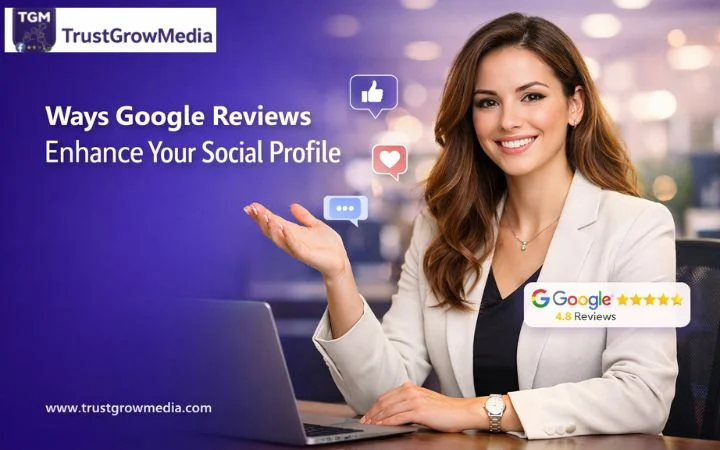
Google Reviews aren’t just those stars you see on your business page. They’re real voices from real people — proof that your brand matters. When used right, these reviews can help you stand out online, build trust, and grow your social presence.
Why Do Google Reviews Matter for Your Social Profile?
Quick fact: Google Reviews show honest feedback, boost trust, and make your business easier to find on search engines and social media. Simply put, they help you attract more followers and customers.
What Makes Google Reviews So Powerful?
- Trust and Credibility: Did you know 91% of people trust online reviews as much as personal recommendations? That’s huge.
- Better Visibility: Reviews help you rank higher in local searches and pop up more on social feeds.
- Easy Content: Positive reviews give you ready-to-use material to share and engage your audience.
How to Turn Google Reviews into Social Gold

1. Share Your Best Reviews On Social Media
Pick your top reviews and turn them into eye-catching posts. Add star graphics or pull out a memorable quote.
Tools like EmbedSocial can help you create visuals automatically—perfect for Instagram or LinkedIn. I like to post these weekly to keep my feed fresh and trustworthy.
Referencing star ratings and telling a quick story around the review can really boost your social presence.
2. Show Reviews On Your Website And Blog
Adding real customer feedback to your site makes it more trustworthy and improves SEO.
- Use review widgets on your homepage or sidebar.
- Highlight the best quotes in your product or service pages.
This way, visitors see proof you’re legit — and search engines like it too.
3. Boost Local Seo And Social Visibility
Google loves active profiles with lots of reviews.
- Your business ranks higher in local search results and maps.
- People find you more easily when your reviews get shared.
4. Get More Reviews The Right Way
Real reviews build social trust. Here’s how to get them without being pushy:
- Ask customers directly—face-to-face or with QR codes, emails, or receipts.
- Send polite follow-up emails after a purchase or visit.
- Make it easy—short links or QR codes speed up the process.
5. Respond To Every Review (especially Negative Ones)
Show you care by replying to your reviewers.
- Thank people who leave positive feedback.
- Handle negative reviews with kindness. Offer solutions or invite them to chat offline.
Engaging this way builds trust and encourages others to leave reviews too.
How We Go Beyond the Basics
Many guides just tell you to get more reviews. We add:
- Stats and tools to automate sharing.
- Strategies to repurpose reviews across social platforms.
- Tips on embedding reviews on your site for SEO benefits.
- Examples and workflows to measure real impact.
Example Workflow
- Someone leaves a 5-star Google Review.
- You create a branded image using EmbedSocial and schedule it on Instagram.
- Embed that review on your homepage.
- Respond to comments and monitor engagement.
- Track your local search ranking to see the results.
Wrapping It Up
Google Reviews do more than boost your star rating. They help you build a stronger social presence. By sharing honest feedback, weaving reviews into your website, and replying thoughtfully, you become more visible and trusted online.
FAQs
1. How Do Google Reviews Build Social Trust?
People trust real experiences. In fact, 91% of consumers say online reviews are as trustworthy as personal recommendations.
2. Can I Automate Sharing Google Reviews?
Yes! Tools like EmbedSocial can turn your reviews into polished social posts automatically.
3. Do Reviews Help With Seo?
Absolutely. More genuine reviews improve your local search ranking and show up better on Google Maps.
4. What’s The Best Way To Get More Reviews Without Being Pushy?
Ask at the right moment. Use easy methods like QR codes, short links, and friendly follow-up emails.
5. How Should I Handle Negative Reviews?
Stay calm and professional. Acknowledge concerns, offer help offline, and show you want to improve.